

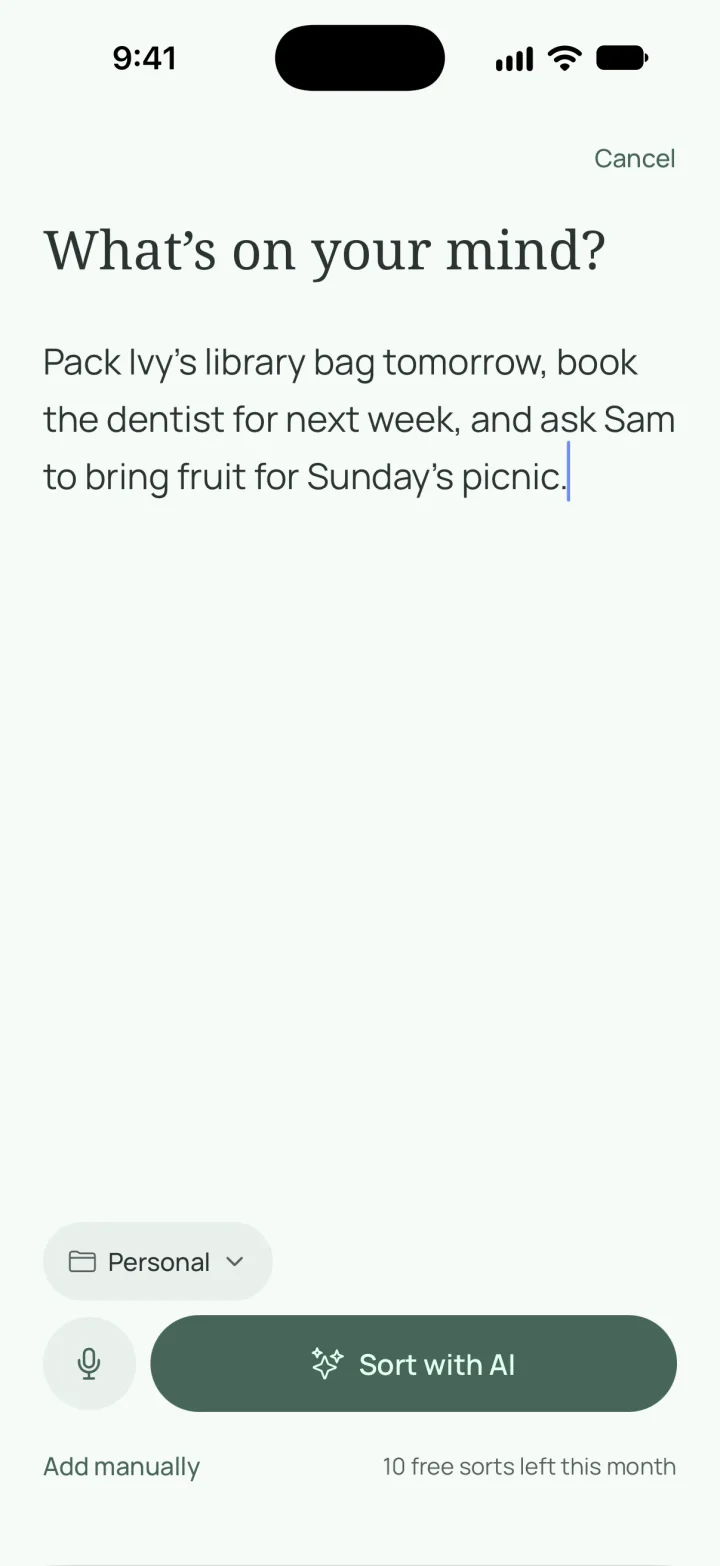
Say the messy version.
Speak or type a school note, errand, reminder, appointment, or household follow-up. Oria turns it into a clear next step before it gets dropped.
Family life, together
Family life rarely turns up as tidy tasks. It arrives as a voice note in the car, a school email, a weekly lesson, a half-remembered errand, or a handoff that needs enough context to be useful.
Speak or type a school note, errand, reminder, appointment, or household follow-up. Oria turns it into a clear next step before it gets dropped.
Add tasks and activities manually without AI sorting, or use Mind Clear when your head is full. Confident tasks can save directly; suggestions needing a second look stay ready for review.
Hand a task to a partner or trusted person. Share a simple link when they need the context, without rewriting instructions from memory.
Shared spaces
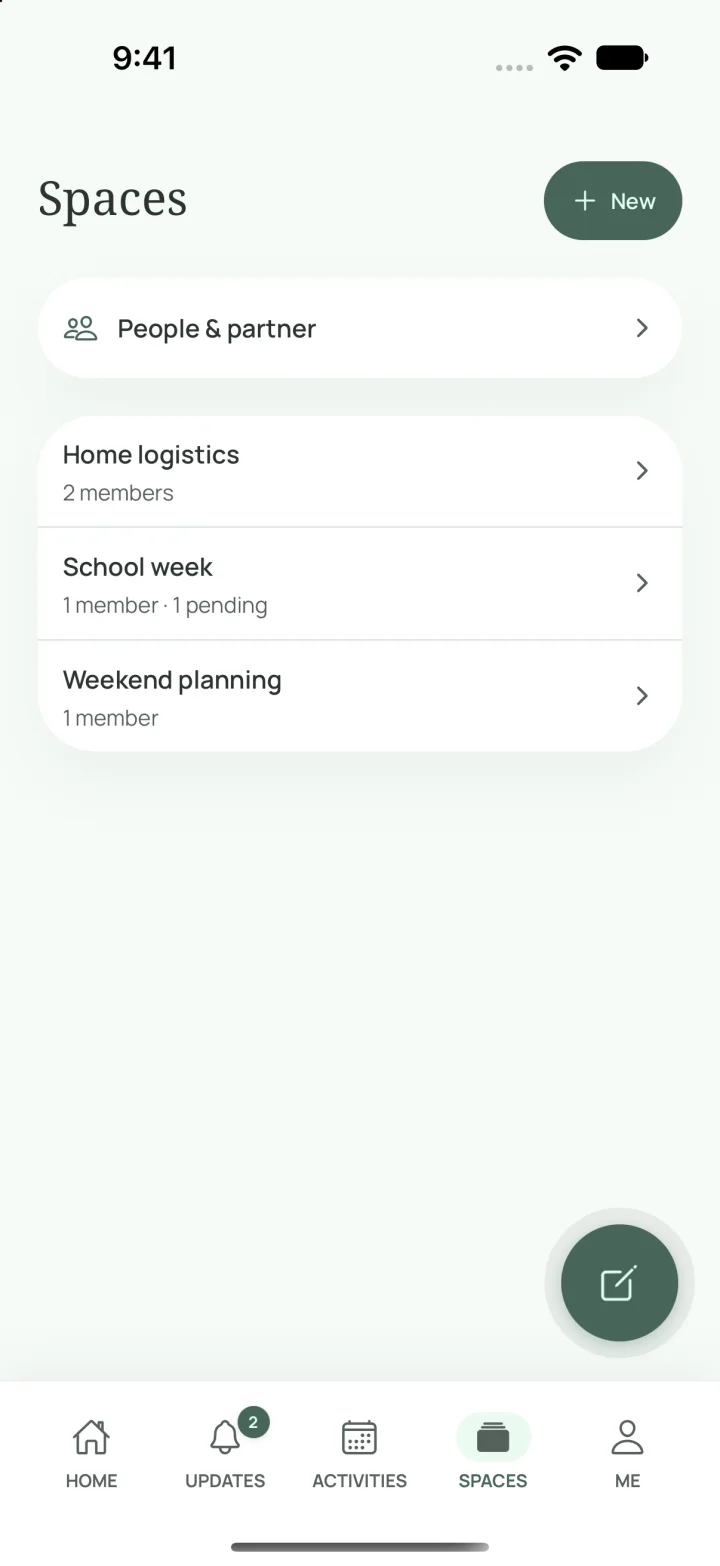
Organise tasks into household spaces, then hand them to a partner or trusted person. Share a simple link when someone needs the context.
Keep school week jobs, care tasks, shopping, and household admin in their own spaces.
Another trusted person can step in with enough detail to act, without a second explanation.
Activities
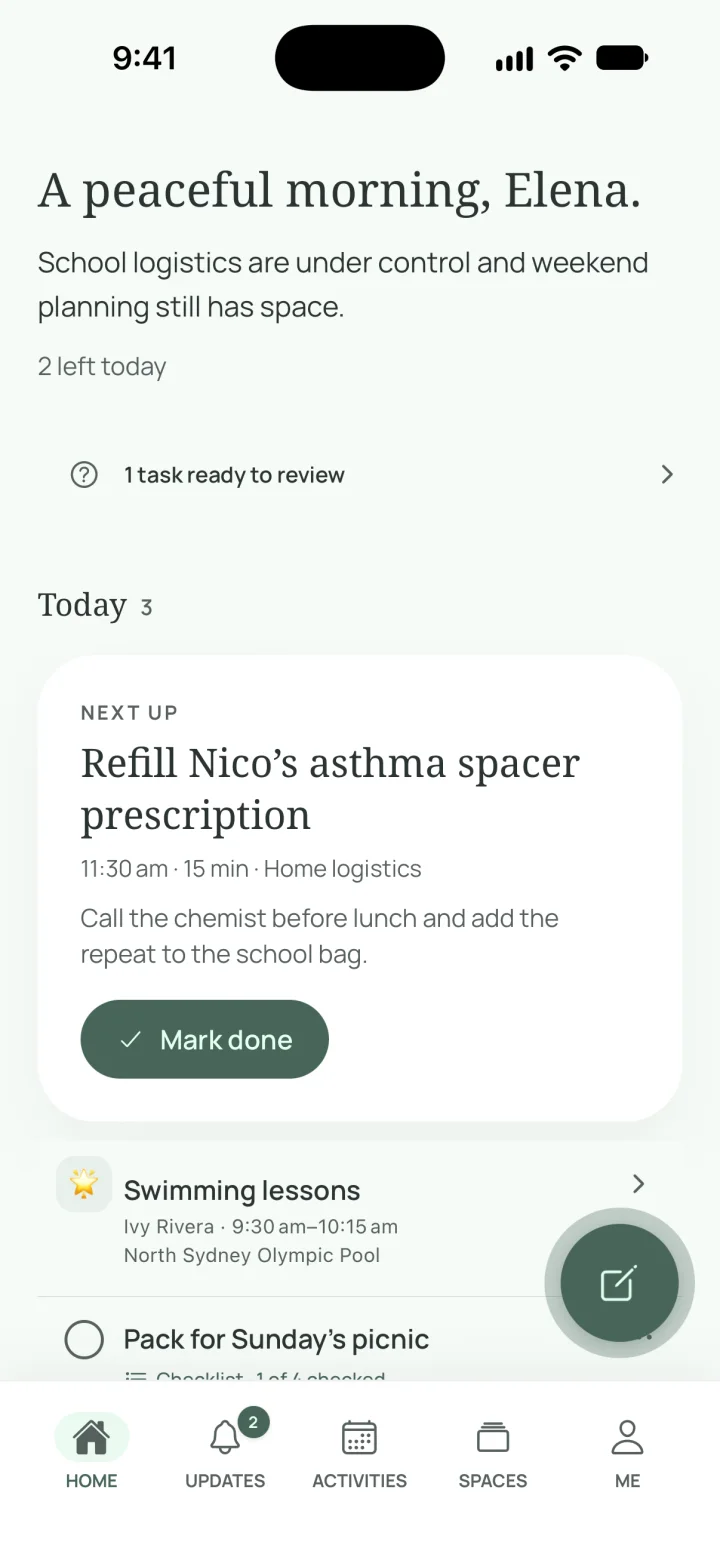
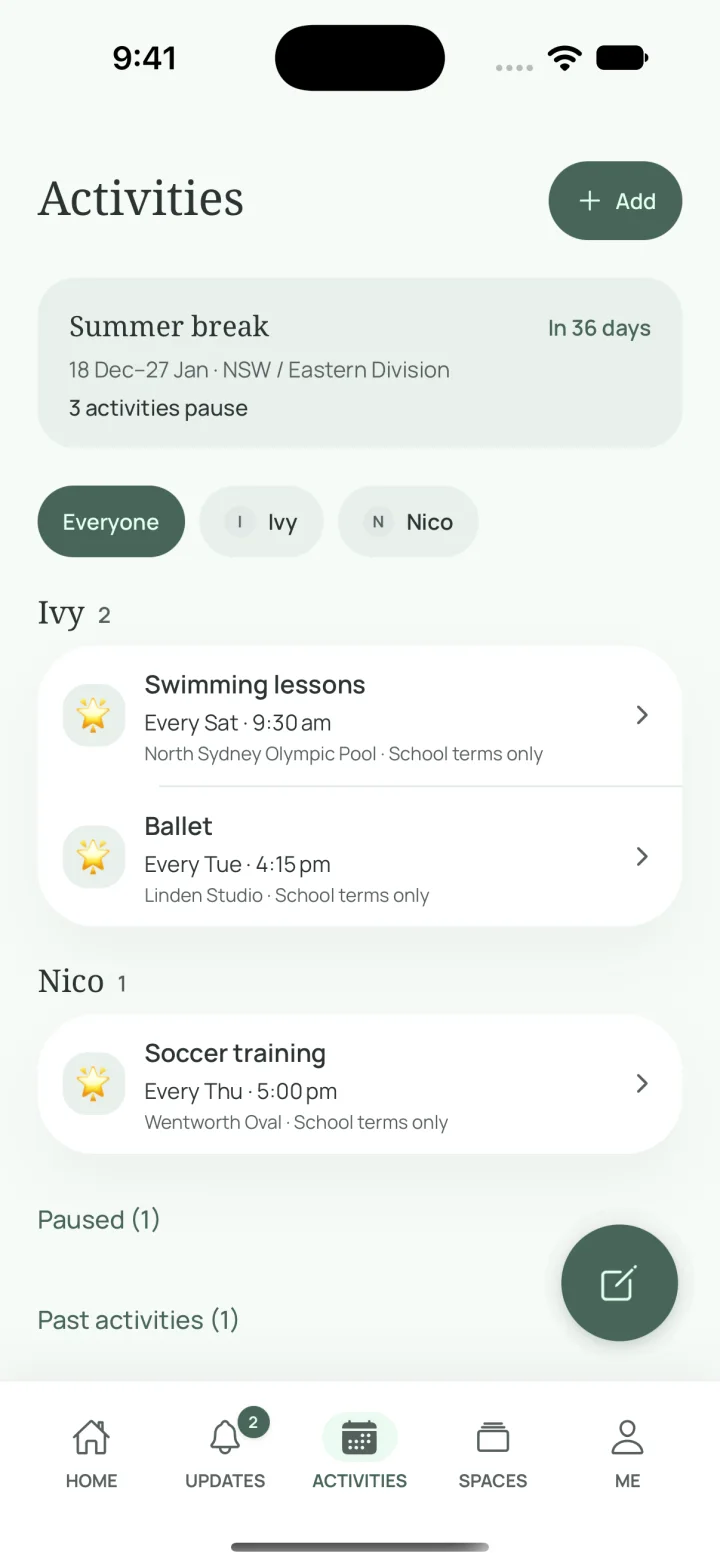
Plan swimming, tutoring, care days, and holiday programs around school terms and holidays. Activity sessions appear beside tasks in Home and Upcoming.
Run activities during the school term, pause them for breaks, and plan holiday care separately.
Filter by person and see the next session, venue, provider, and notes without digging through task lists.
Activity sessions appear beside tasks in Home and Upcoming, so the whole day stays in view.
Couple check-ins
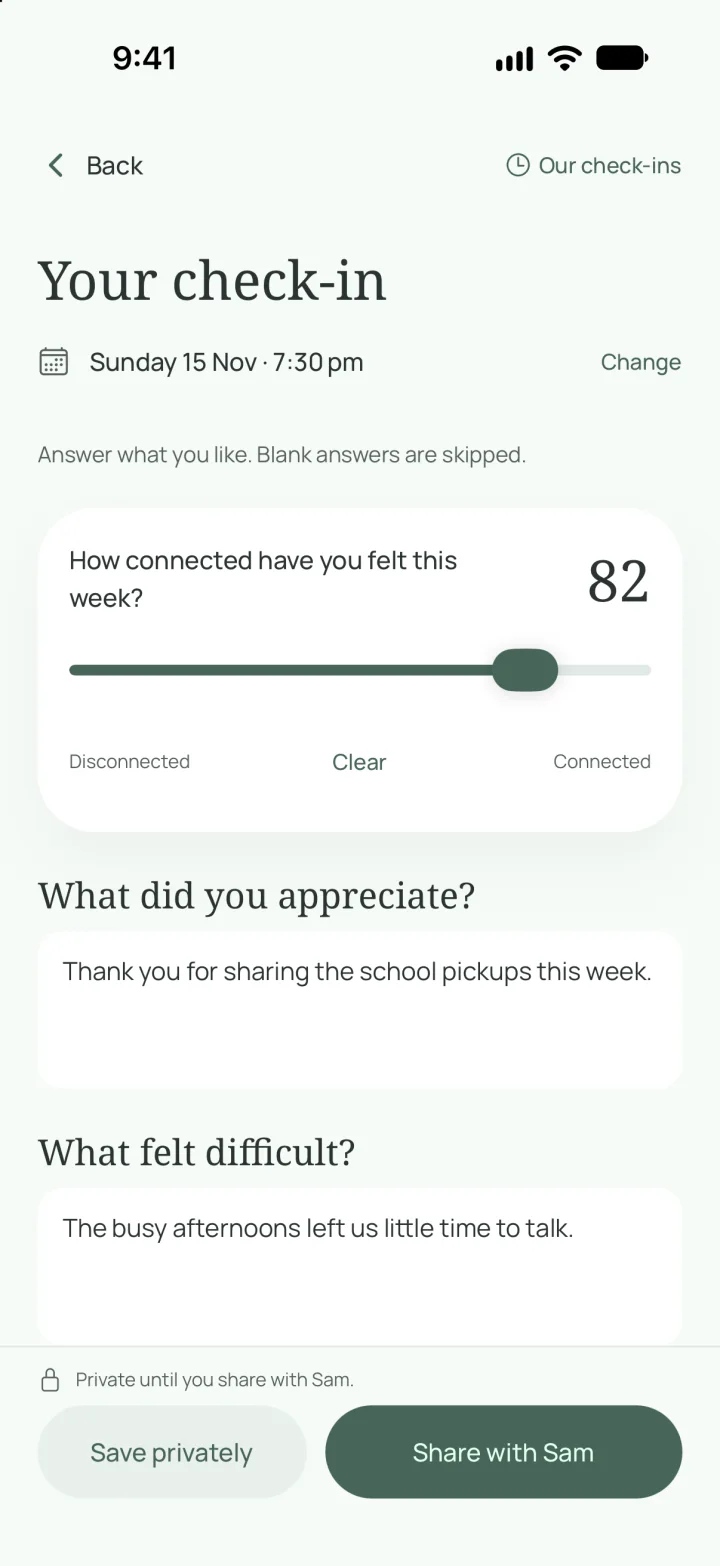
Make time for each other with a weekly couple check-in. Choose a day and time, reflect privately, and Share when you are ready.
Prepare your answers at your own pace. Your partner sees only the answers you choose to Share. You can withdraw them later.
Choose a day and time together. The check-in appears on Home, where you can move one conversation when plans change or update the weekly schedule.
Use your existing connected partner. You each turn check-ins on for yourselves and choose your own reminders. Past shared check-ins help you look back together.
Widgets
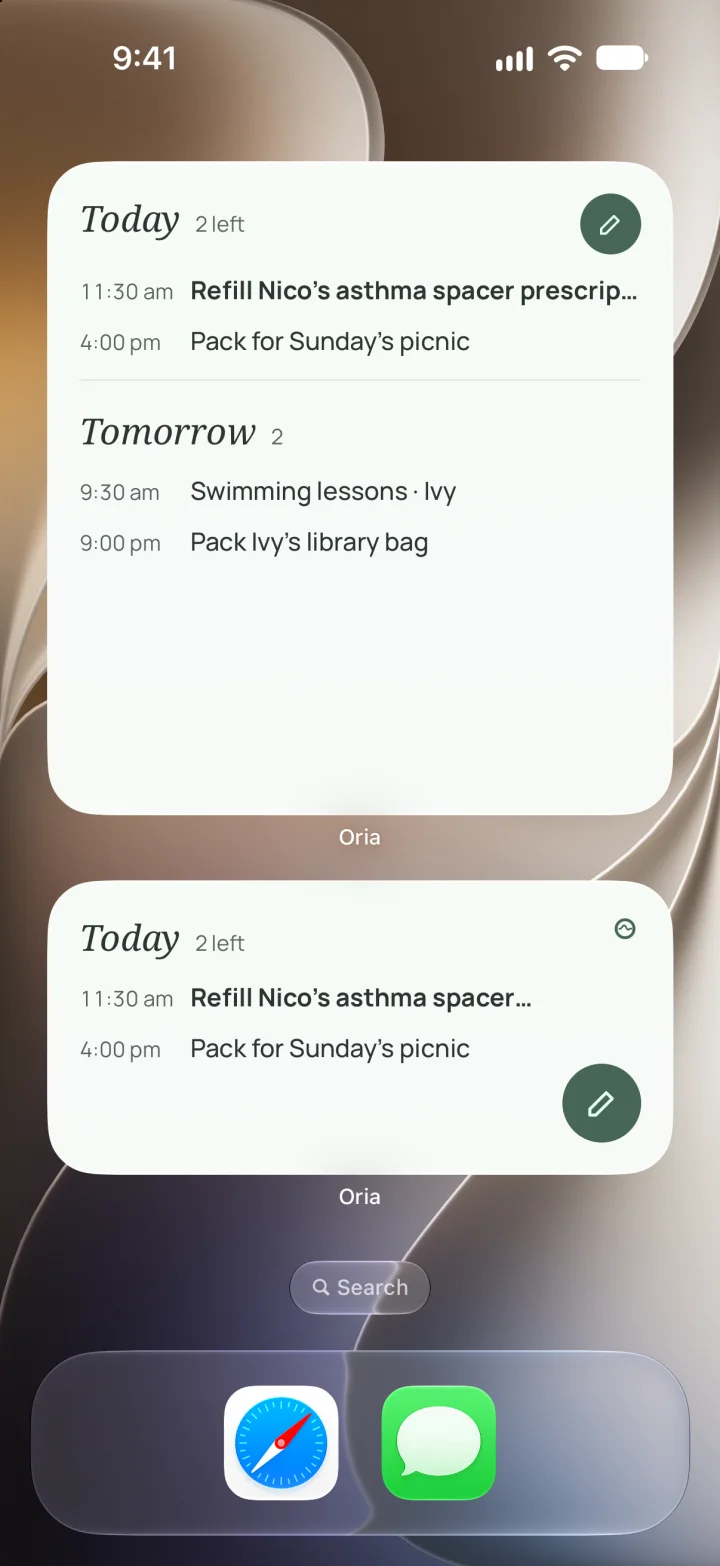
Add Oria to your iPhone Home Screen or Lock Screen to see upcoming tasks, activity sessions, and check-ins.
See what's coming up today and how many tasks are left. The large Today widget also shows tomorrow's agenda.
See the next item and its time. You can hide titles while your iPhone is locked.
Tap the pencil on your Home Screen, on your Lock Screen, or in Control Center to open Mind Clear. Widgets need iOS 17 or later. The Control Center shortcut needs iOS 18 or later.
Oria avoids badges, streaks, and busy dashboards. The interface is meant to reduce pressure, not make family care feel like another inbox.
Household jobs, school admin, care tasks, and shopping can live in shared spaces, with enough context for another trusted person to step in.
Oria asks before streaming microphone audio to ElevenLabs Scribe for realtime transcription or sending text to Anthropic's Claude AI. Oria does not store raw voice audio. Read the privacy policy.
Voice + AI
Capture a task by voice or text. When your head is full, use Mind Clear to organise longer thoughts into tasks and activity suggestions you can review, share, and hand off.
Turn a school note, errand, reminder, appointment, or household follow-up into a clear next step.
Oria can save confident tasks directly and keep suggestions that need a second look ready for your review.
Schedule swimming, tutoring, and holiday care so recurring sessions pause automatically during breaks.
Official state and territory term dates and school breaks across NSW, VIC, QLD, SA, WA, TAS, ACT, and NT.
Reflect privately at your own pace, choose what to share, and keep a movable weekly rhythm together.
Use shared Spaces, 24-hour web handoff links, and clear free vs Oria Plus options for family life.
Common questions
Oria is built for parents and caregivers who carry the mental load of school admin, household jobs, and handoffs. These are the questions people usually ask before trying it.
Oria is a family planner for parents, caregivers, and household organisers. Capture tasks by voice or text, sort a fuller thought with Mind Clear, plan school-term activities, share household tasks, and make time for weekly couple check-ins.
Oria is for parents, caregivers, and household organisers who carry the remembering, coordinating, and following up for family life.
Enter tasks and activities manually without AI sorting, or use voice capture and Mind Clear when you want help organising a fuller thought. Confident tasks can save directly; suggestions needing a second look stay ready for review.
Yes. Organise school week jobs, care tasks, shopping, and household admin in shared spaces. Hand tasks to a partner or trusted person, with a simple link when they need the context.
Yes. Swimming, tutoring, care days, and other routines can follow school-term or holiday schedules. Their sessions also appear beside tasks in Home and Upcoming.
Connect with your partner through Your people, then open Couple check-in beside their name. You both need Oria accounts and each person turns check-ins on for themselves. If your accounts are already connected, you can use that partner without another invitation.
No. Saving privately keeps your answers for you. Share makes a copy visible to your partner; later private edits stay private until you Share again. Withdrawing removes that shared copy from your partner's view and the shared chart. Read more about check-in privacy.
Manual task and activity entry is available without Oria Plus. Voice transcription and AI features include limited free usage; Oria Plus is an optional auto-renewing subscription with expanded access. Pricing and trial eligibility are shown before purchase.
No. Oria asks before streaming microphone audio to ElevenLabs Scribe for realtime transcription or sending text to Anthropic's Claude AI for task organisation, Mind Clear, and briefings. Oria does not store raw voice audio. Read the privacy policy.
Download Oria for iPhone from the App Store.
Visit Oria support for help with your account, subscription, or setup. Read the privacy policy and terms of use on this site.