A private weekly couple check-in built for busy parents
Household logistics can swallow every quiet moment between partners. Oria builds a weekly check-in right beside your family planner so you can reflect privately during the week, share when ready, and protect space for an honest conversation.
Published by Gracelane FamilyUpdated 22 Nov 2026Private drafts stay yours until you tap Share
Oria couple check-ins are structured weekly partner reflections where each person prepares answers and a connection rating privately before choosing what to share. Both partners opt in independently, control their own reminders, can adjust a single conversation time when family plans shift, and can withdraw any shared answer later.
Private preparation before you talk
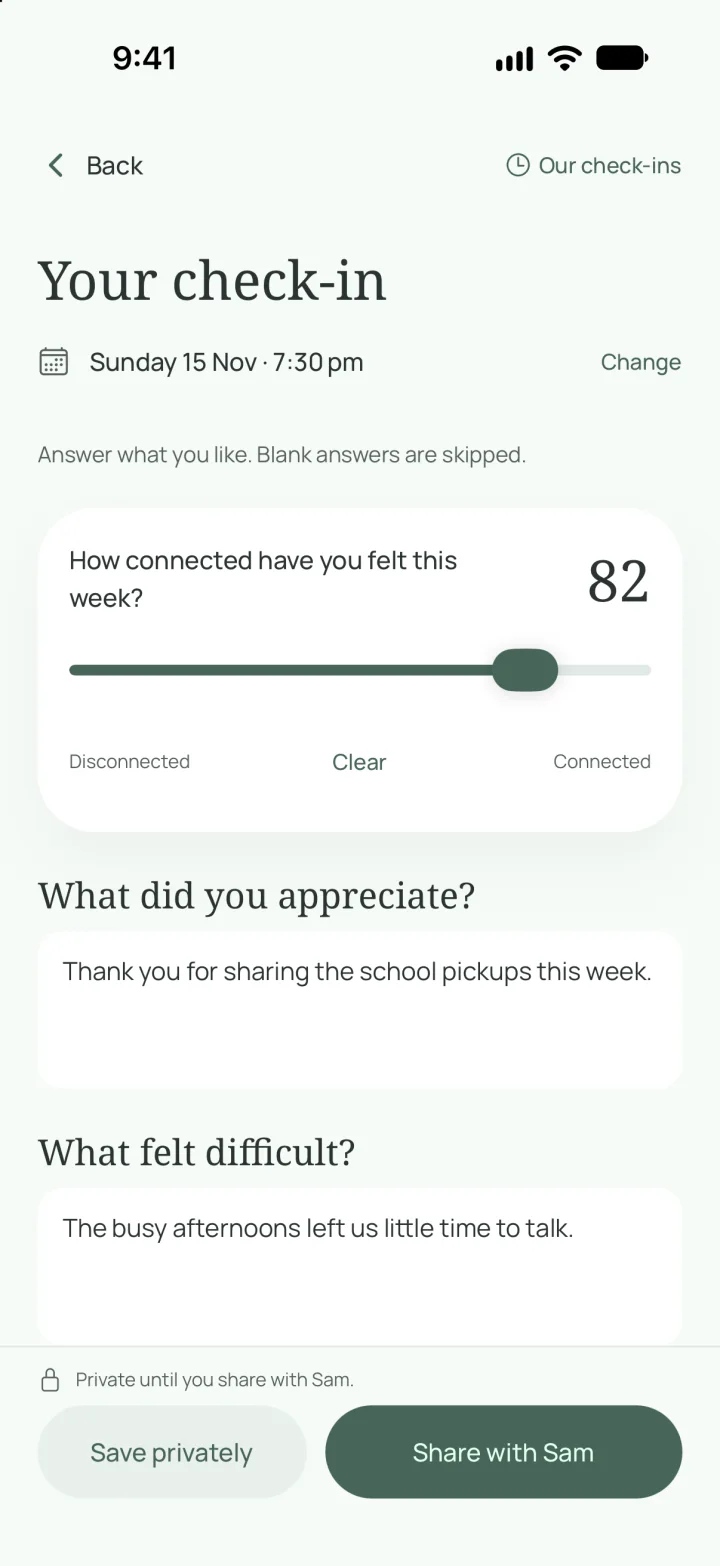
Preparation looks like a quiet journal page, not a corporate form. Jot down thoughts across the week, move the connection slider, and tap Save privately. Your partner never sees unfinished drafts or private edits until you explicitly tap Share.
Explicit consent on both sides
Both people must turn Couple check-ins on for themselves before new sharing or check-in reminders run. If either partner pauses check-ins, reminders and new sharing stop for both people while previously shared history remains readable.
A weekly rhythm that moves with real life
Pick a recurring conversation time such as Sunday at 7:30 pm. When a sick child or late dinner gets in the way, move just that week's conversation directly from Home without resetting your ongoing weekly rhythm.
Shared history and connection chart
Look back at past shared check-ins together to notice patterns across busy school terms, travel, or sleep-deprived stretches. Push notifications for check-ins never display your written answers or connection ratings on a lock screen.
Private draft vs shared copy visibility in Oria
Trust is the foundation of a couple check-in. Oria stores private answers separately from shared copies and never sends couple check-in reflections to AI processing or advertising pipelines.
Action in Oria
What you see
What your partner sees
Reversible?
Save privately
Full draft answers and rating
Nothing
Edit or delete anytime
Tap Share
Private entry + shared copy
Shared copy + shared chart point
Yes, tap Withdraw anytime
Edit after sharing
Updated private entry
Previous shared copy only
Updates only if you Share again
Withdraw shared copy
Your private entry remains
Removed from partner view & chart
Can re-share later if you choose
How to start a weekly couple check-in in five steps
If you and your partner are already connected in Oria Spaces, you can turn on couple check-ins without sending a second invitation.
Connect partner accounts in People. Open Me → Your people and connect with your partner's Oria account. Saving a name alone does not connect an account.
Turn check-ins on independently. Open Couple check-in beside your partner's name. Each partner switches Couple check-ins on for themselves.
Choose a weekly day and time. Pick a calm recurring slot that fits your household (for example, Sunday evening after bedtime). Either partner can adjust the schedule later.
Set your own reminders. Each person picks independent preparation and conversation reminders that respect iPhone Focus modes and Oria's quiet hours.
Reflect privately, then share when ready. Prepare your check-in at your own pace, tap Save privately while thinking, and tap Share when you are ready to talk together.
Questions couples ask about Oria check-ins
Can my partner see my check-in answers before I share them?
No. Saving privately keeps your written reflections and connection rating visible only to you. Selecting Share publishes a separate snapshot to your connected partner, and any later edits to your private entry stay hidden until you explicitly tap Share again.
Are couple check-in answers ever sent to AI or shown in push notifications?
No. Oria does not send couple check-in reflections or ratings to Anthropic's Claude AI or analytics tools. Check-in reminders sent as iPhone push notifications never contain your answers or scores, keeping personal reflections private even on a shared table.
What happens to check-in history if we turn check-ins off or disconnect?
Turning check-ins off pauses new sharing and reminders for both partners while keeping past shared history readable. Disconnecting partner accounts immediately ends access to each other's check-in content so each person retains only their own entries. Full details live in check-in privacy.
Do both partners need Oria Plus to use weekly couple check-ins?
No. Weekly couple check-ins are available on free Oria accounts for both connected partners. Oria Plus is an optional subscription on the App Store solely for expanded monthly voice transcription and Mind Clear AI sorting.